Dashboard
After sign-in, the dashboard is your launch pad: usage and wallet, platform health, model intelligence, SEO news, module shortcuts, and saved chats, flows, and skills, without opening each tab blind.
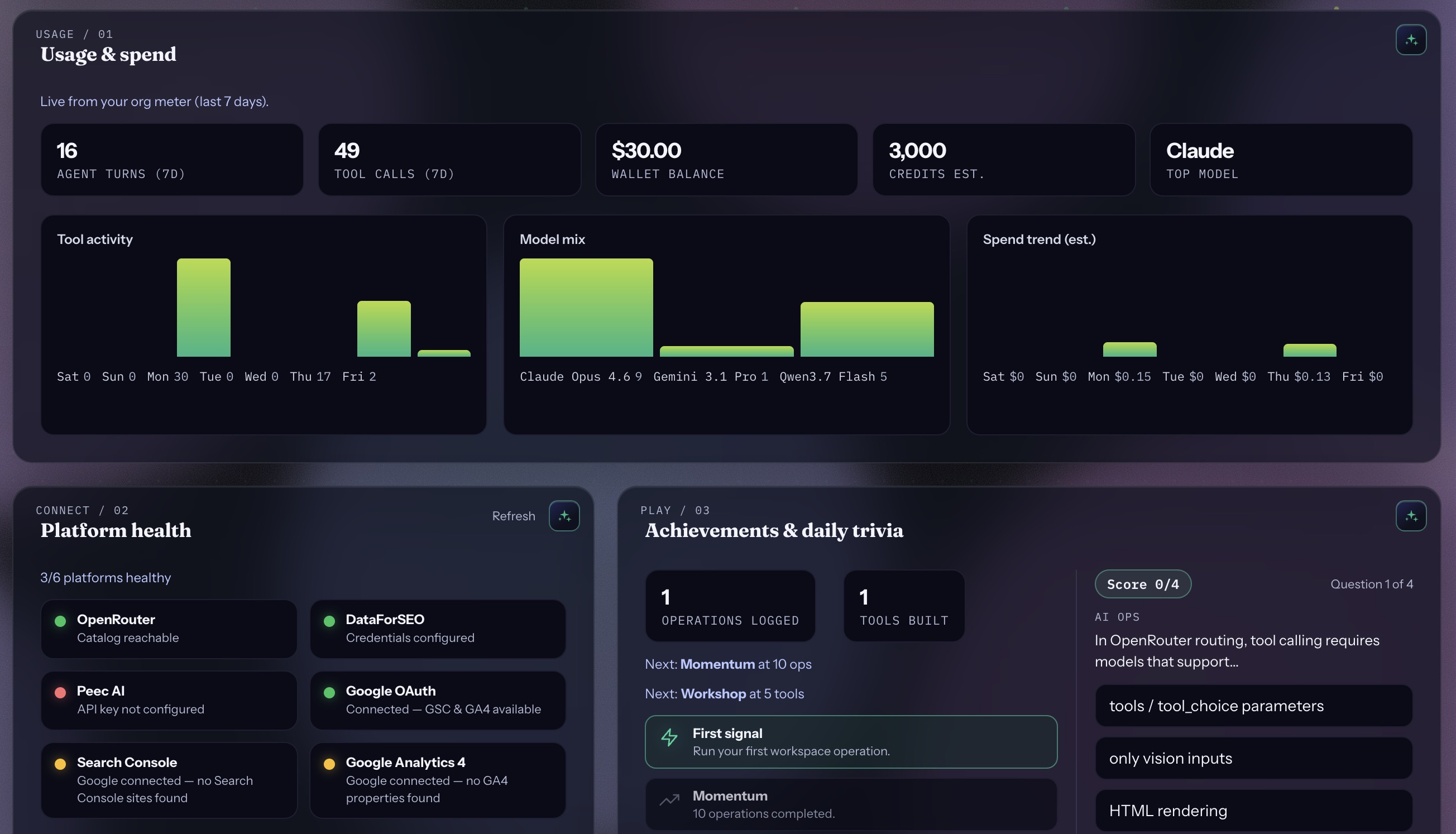
01 Usage, wallet & health
The top of the dashboard shows agent turns, tool calls, wallet balance, and model mix, plus platform health for OpenRouter, Peec, Search Console, DataForSEO, Google OAuth, and GA4. Achievements and daily trivia sit alongside so the home tab stays useful without diving into tool-heavy work yet.
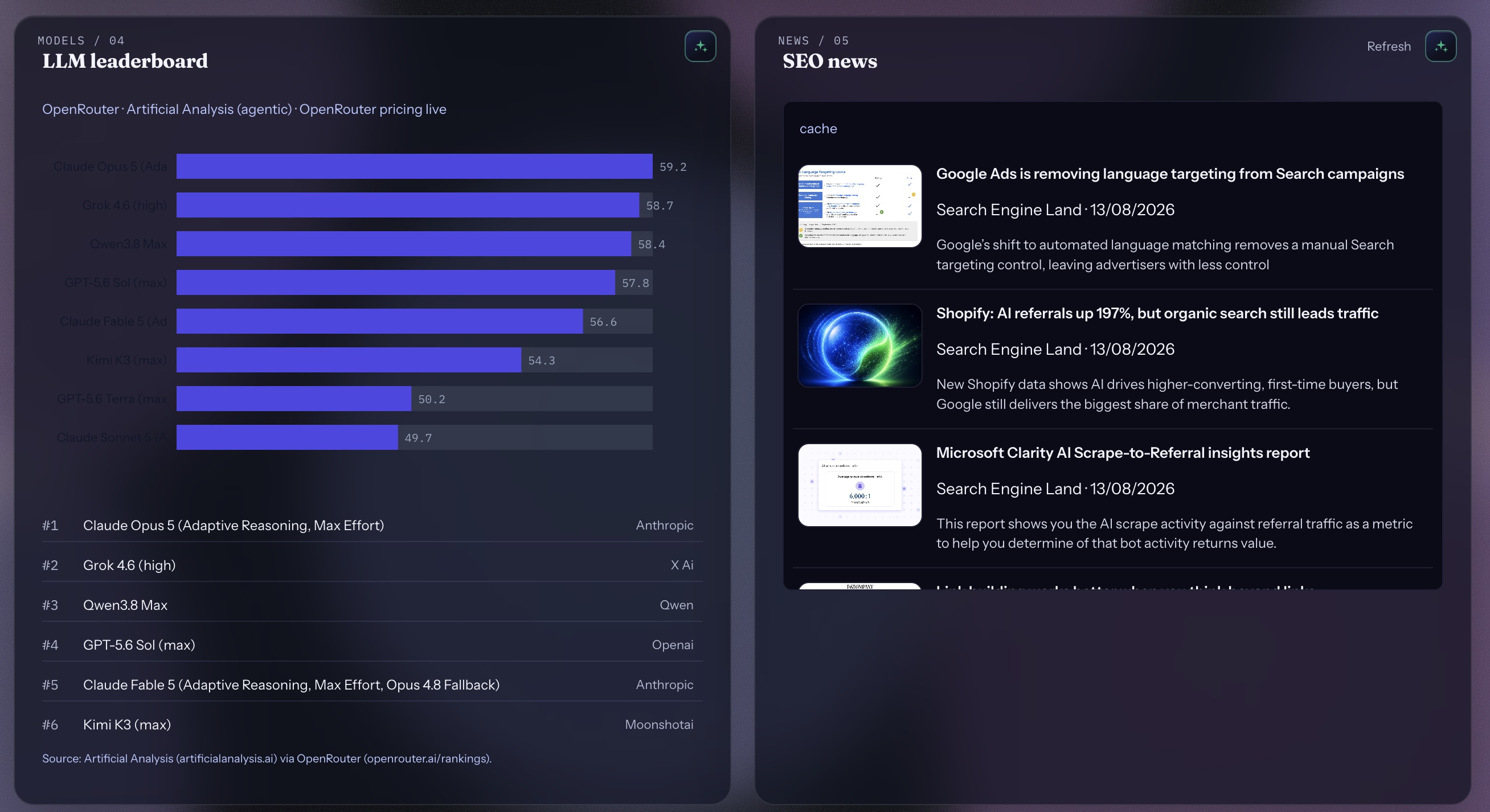
02 Models & SEO news
The LLM leaderboard keeps OpenRouter and Artificial Analysis rankings in view while you work. SEO news pulls recent industry headlines so operators stay current without leaving the workspace.
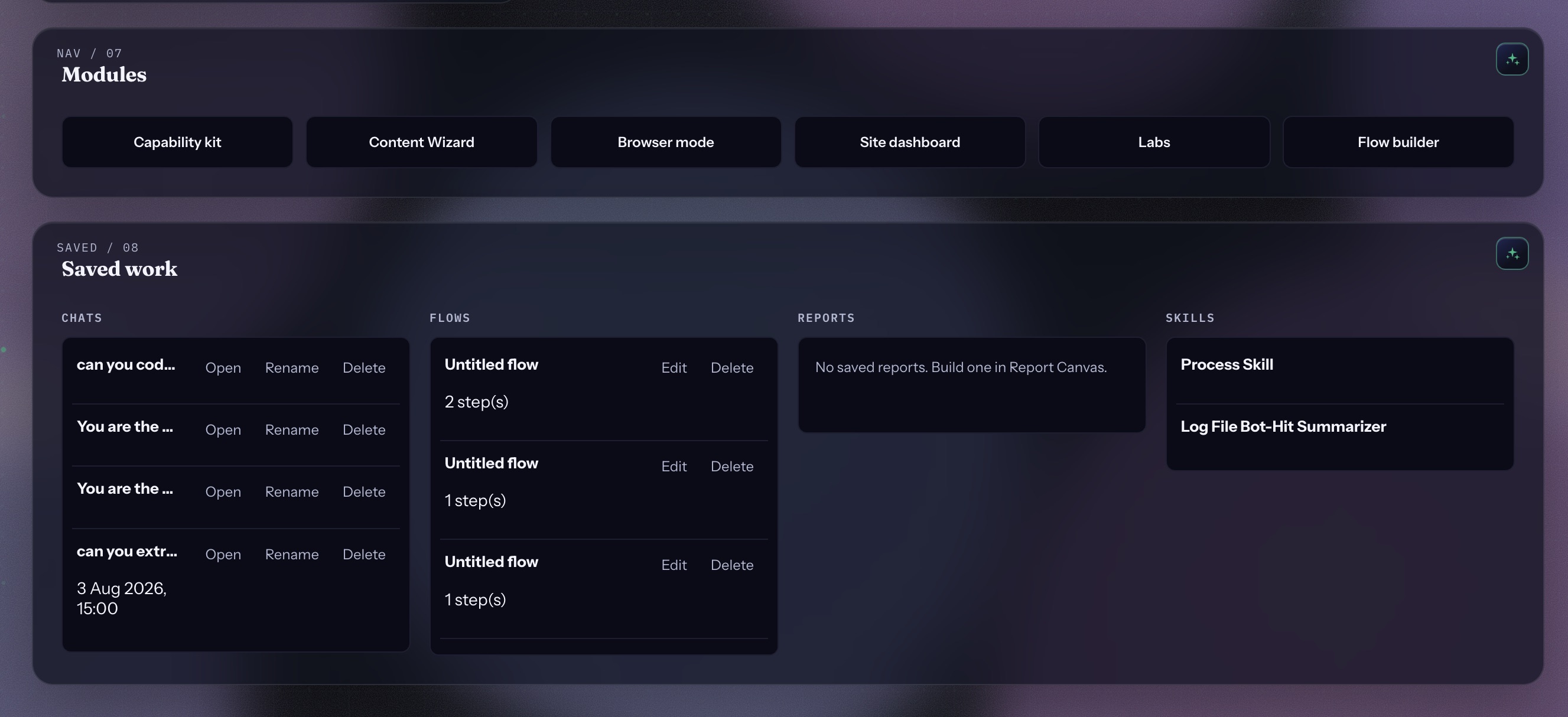
03 Modules & saved work
One-click jumps into Capability kit, Content Wizard, Browser mode, Site dashboard, Labs, and Flow builder. Below, saved chats, flows, reports, and skills surface so you can resume mid-flight work.
- Module buttons matching shell tabs
- Recent chats with open / rename / delete
- Saved flows, reports, and skills in one strip